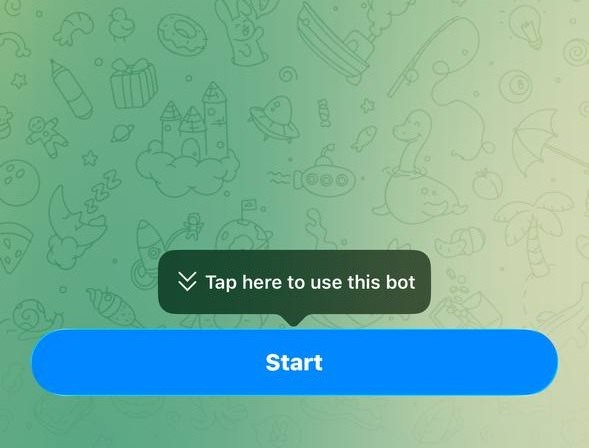
Step 01
Open the Telegram Bot
Open our Bot inside Telegram. A “Start” button appears at the bottom — tap it.
Open the Bot ↗68 NiuNiu runs on Telegram Mini Program, so there is no separate app to install. This guide splits setup into five stages — registration, verification, device binding, fund password, first top-up — with a real screenshot at each one. Budget about ten minutes, plus waiting time for the manual verification review.
8228544698
Enter this UID in the referrer field during sign-up. It cannot be changed once bound.

Worth watching before you start. The clip shows the order of the stages and where each control sits, so the written steps below are easier to follow.
ACCOUNT REGISTRATION
Five steps. Step three, the referrer binding, is the one that matters — without it the account is not considered open.
Open our Bot inside Telegram. A “Start” button appears at the bottom — tap it.
Open the Bot ↗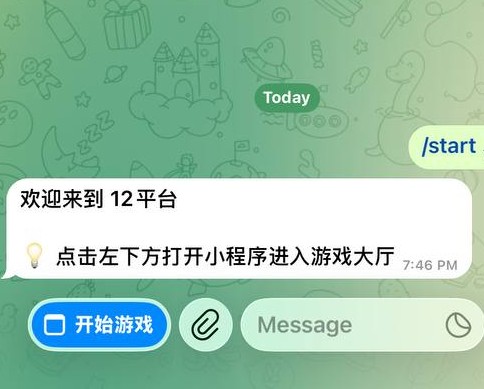
Once the Bot replies, “开始游戏” appears in the lower-left corner. Tap it to reach the main screen.
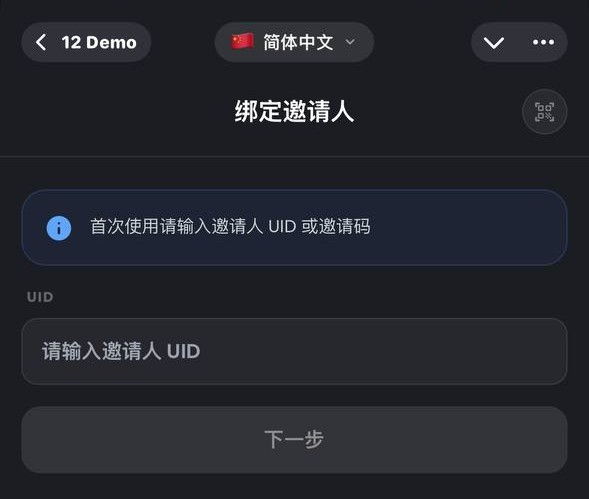
The referrer field is mandatory. Copy the UID with the button below, paste it in, then tap “下一步”. Skip this and it cannot be added later.
8228544698
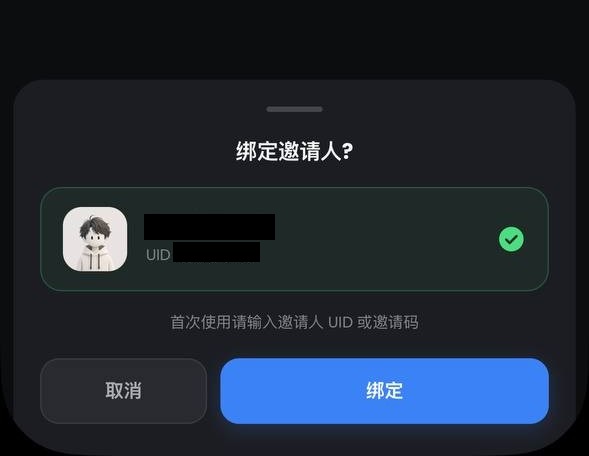
The confirmation screen shows the UID again. Check it digit by digit, then tap “绑定”.
The success message means the account is live. Next come verification, device binding and the fund password.
IDENTITY VERIFICATION
Reviewed manually by support. The account cannot place bets until it passes, and details that do not match your TNG eWallet get sent back — so check before submitting.
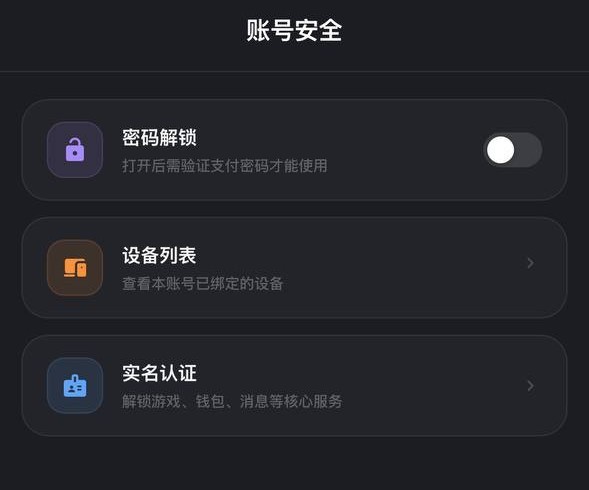
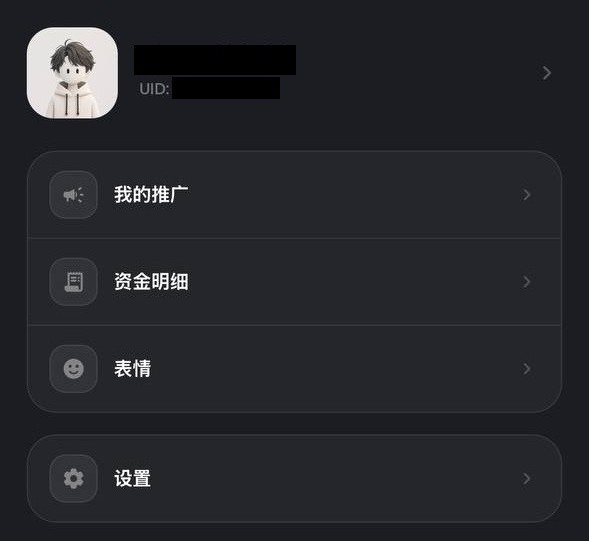
The path is four levels deep: “我的” → “设置” → “账号安全” → “实名认证”.
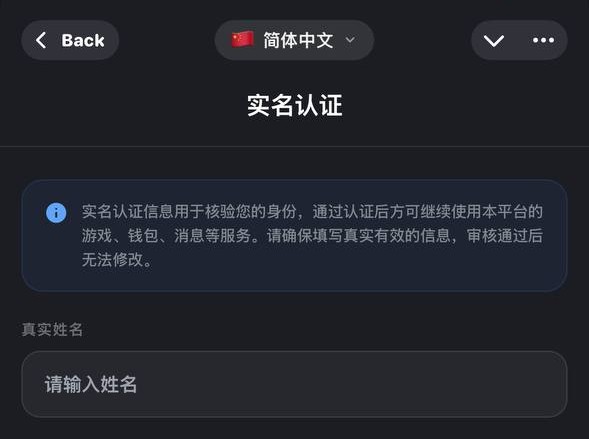
Enter your real name exactly as registered on your TNG eWallet, capitalisation included. A mismatch gets returned for correction.
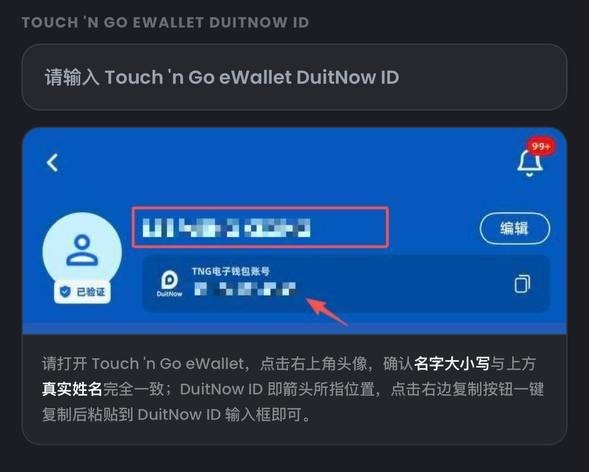
This needs the DuitNow ID from your own TNG eWallet. All later deposits and withdrawals key off it.
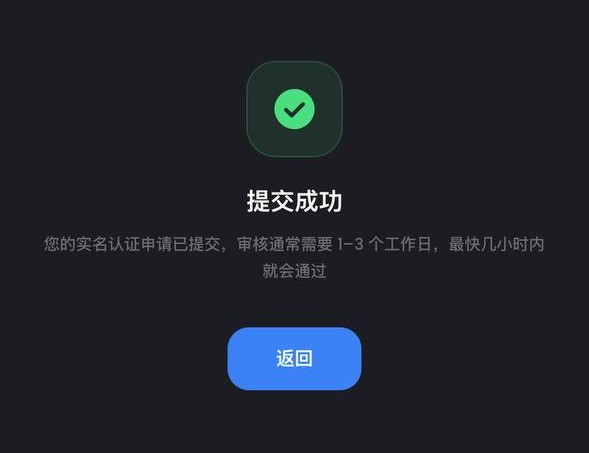
Tap “提交认证” and it enters the support queue. No need to submit twice.
DEVICE BINDING
Once bound, the system recognises this handset and challenges logins from anywhere else — one more layer of account security.
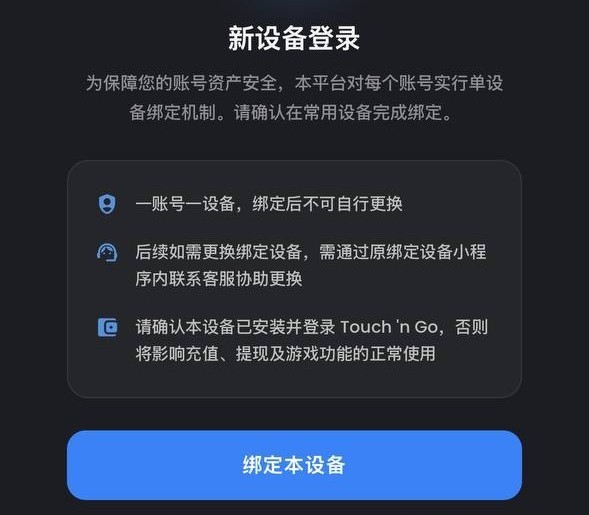
Close the game and reopen it. The “新设备登录” prompt appears on its own.
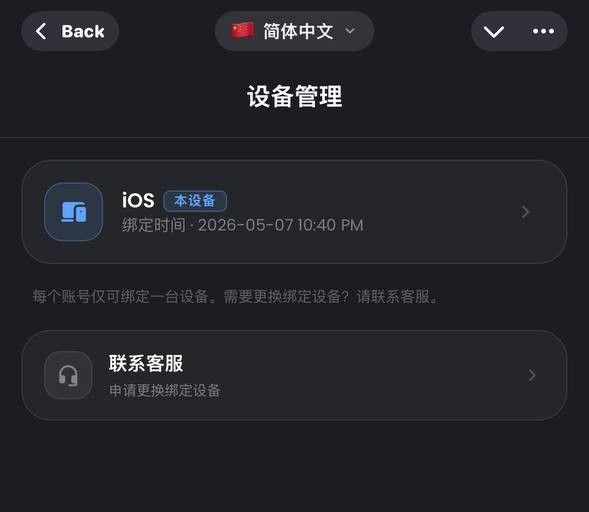
Make sure this is the phone you actually use, then tap “绑定本设备”. Never bind on someone else's device.
PASSWORD SETUP
This password guards your money and is required for top-ups and fund operations. Do not reuse one from another platform, and avoid birthdays or sequential digits.
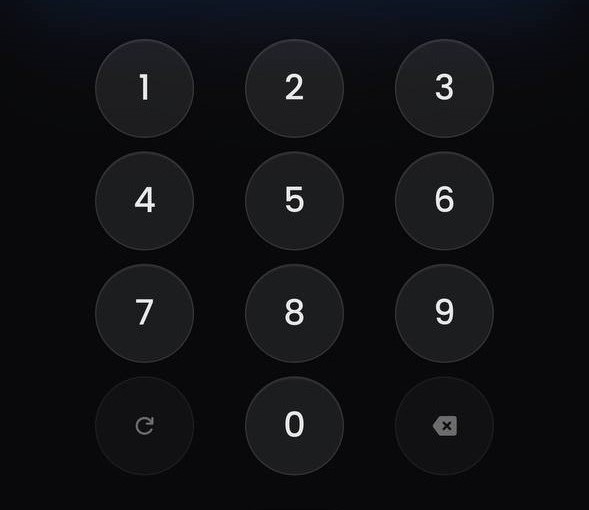
As soon as device binding succeeds the password screen appears. Set it there and then.

There is no self-service reset. Contact live support to verify your identity and request a change. And note: anyone asking for your password or verification code is a scammer — support never will.
TOP UP
Top-ups are transfer-first: enter the amount, send it to the account shown, upload the receipt, wait for review.
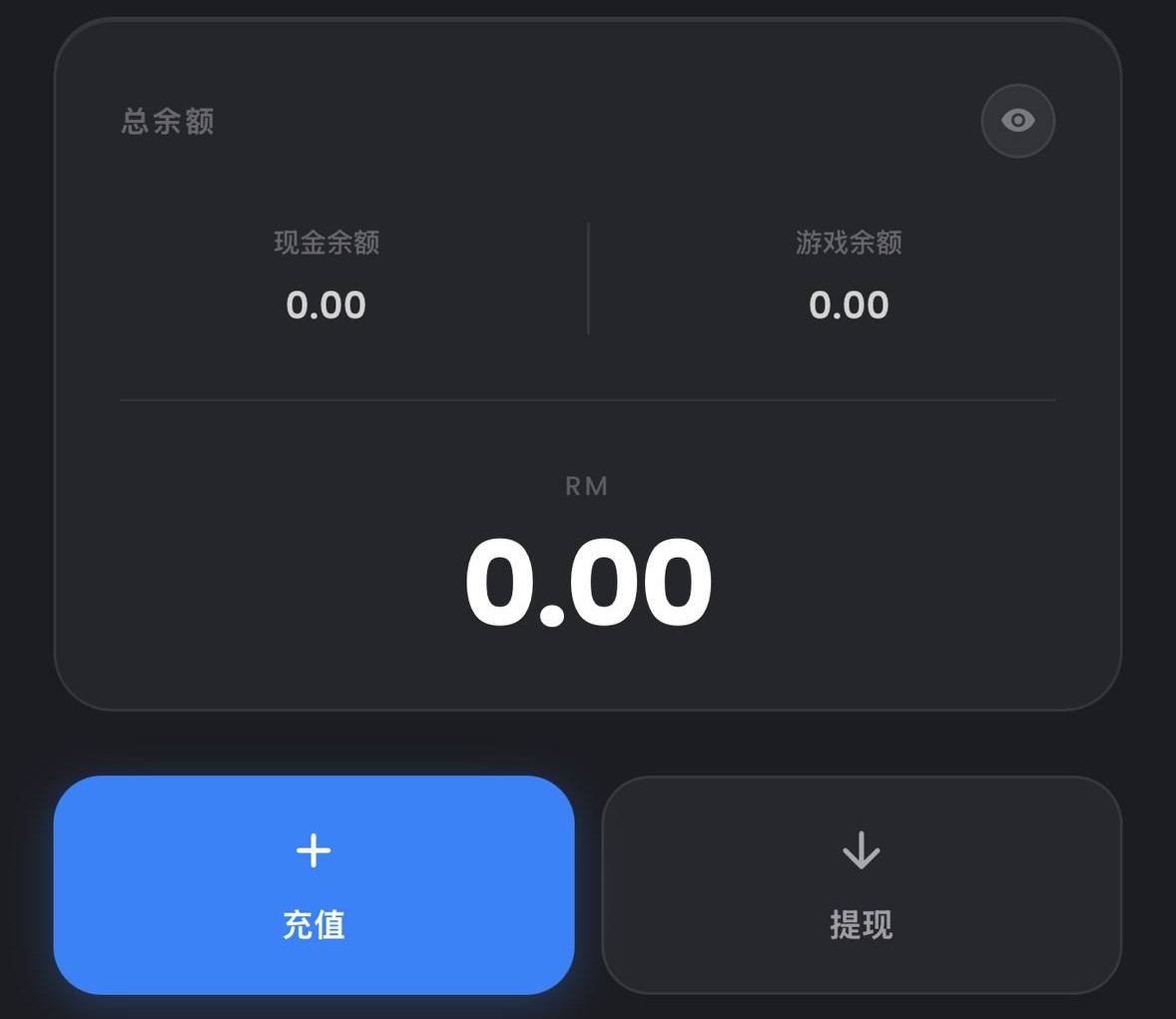
Open the 钱包 page and tap “充值”.
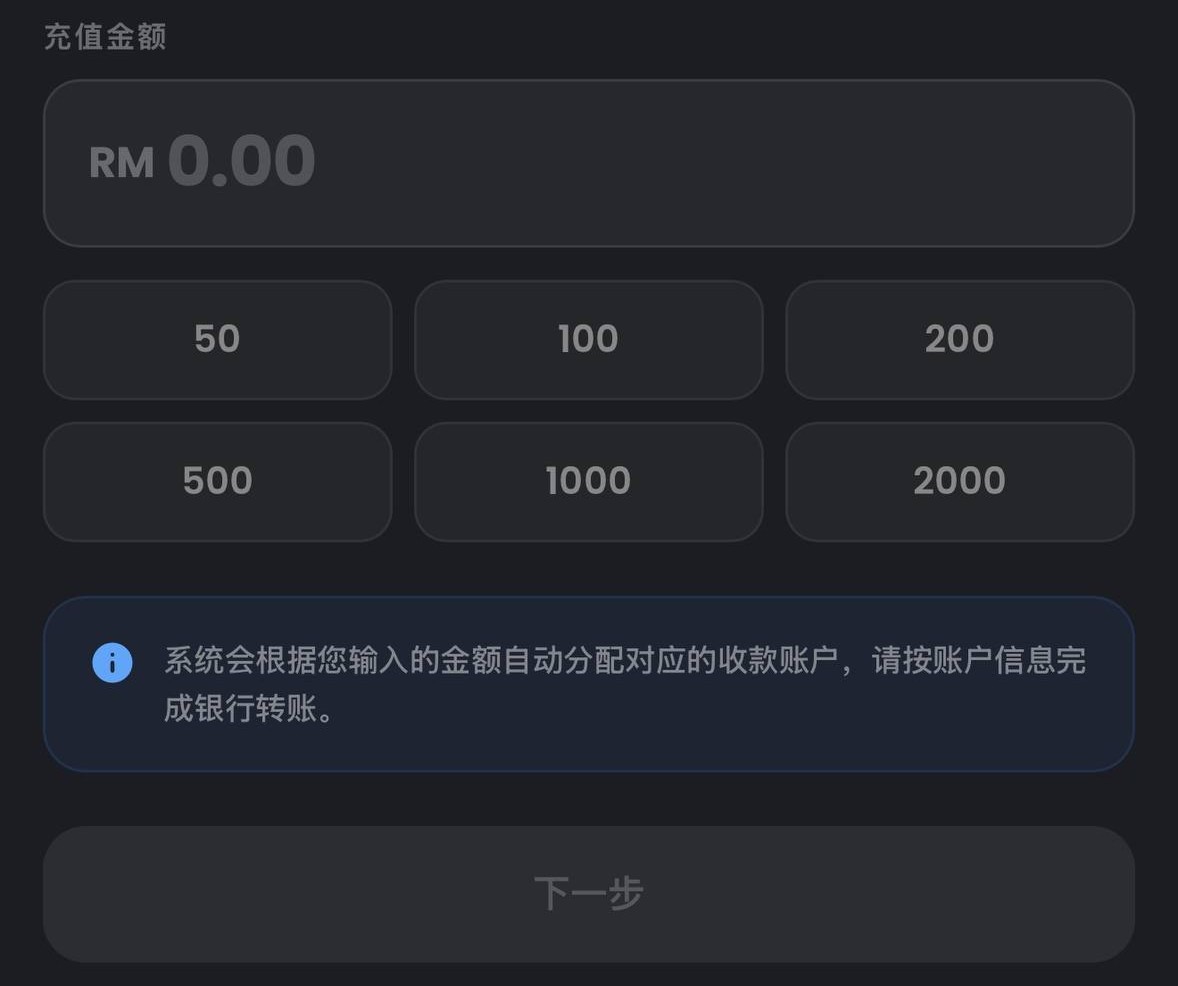
Type the amount and check it before tapping “下一步” — the transfer you make next has to match this figure.
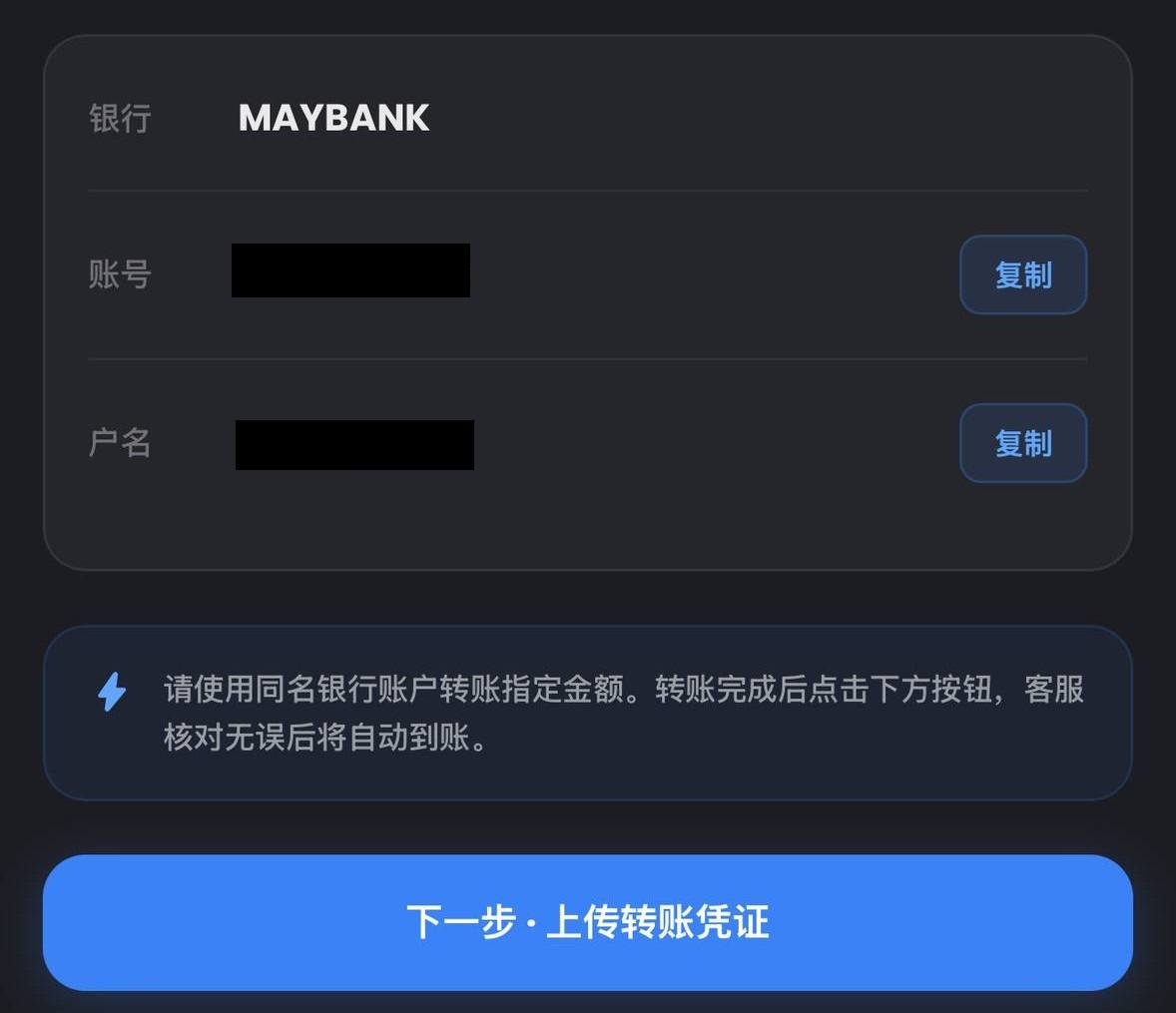
Send it by Bank instant transfer or DuitNow transfer. Always use the account shown for this particular request — never reuse a previous one. Then tap “下一步”.
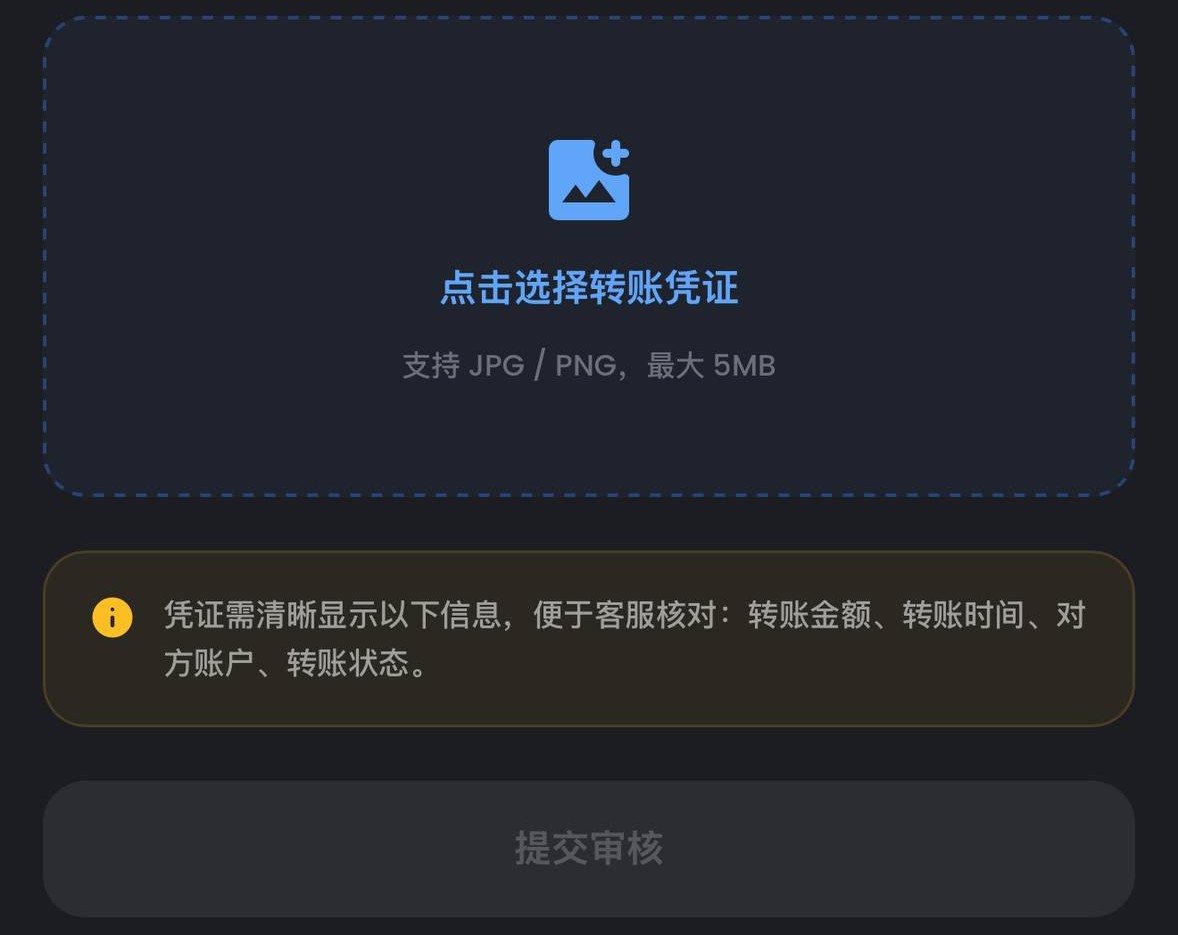
Attach the transfer screenshot or receipt, submit, and wait for it to clear.
ALL STAGES COMPLETED
The nine questions new players ask most. Every answer traces back to the guide above.
68 NiuNiu is a red-packet NiuNiu game running on Telegram Mini Program. The system drops a TNG packet in the 68 NiuNiu interactive group; the amount you grab becomes your points and hand, which is then compared with the banker. There is no separate app to install.
Five stages: open the Bot in Telegram and tap Start, enter the game from the lower-left button, bind the referrer UID to open the account, then complete identity verification, device binding and the fund password, and finally your first top-up. About ten minutes, plus waiting time for the manual verification review.
8228544698. The referrer field on the registration screen is mandatory and cannot be changed once bound — skip it and it cannot be added later.
Not on a web page. Everything happens inside the 68 NiuNiu interactive group on Telegram: bidding for the banker, placing bets and grabbing packets are all done there. If you are not in the group you cannot take part.
Malaysian Ringgit (MYR) and USDT. Top-ups are transfer-first: enter the amount, send it to the account shown on that screen, upload the receipt, then wait for review. Always use the account shown for the current request.
Three tiers stacked by agent level: 0.3% at tier one, 0.5% at tier two and 0.7% at tier three, all on effective stakes.
The RM388.88 rare-hand bonus (three a day), hand-king prizes of RM288.88 for leopard and full-bull and RM188.88 for straight and reverse-straight, banker rewards from RM688 at 18 rounds a day up to RM5888 at 108 rounds, an RM8888 weekly banker leaderboard, plus weekly points-table prizes starting at 138.
Highest to lowest: leopard 17x, full bull 15x, reverse straight 14x, straight 13x, pair 12x, golden bull 11x. An ordinary hand pays its own point count, 1x to 10x.
There is no self-service reset — contact live support to verify your identity and request a change. And note: anyone asking for your password or verification code is a scammer. Support never will.